 Skip to content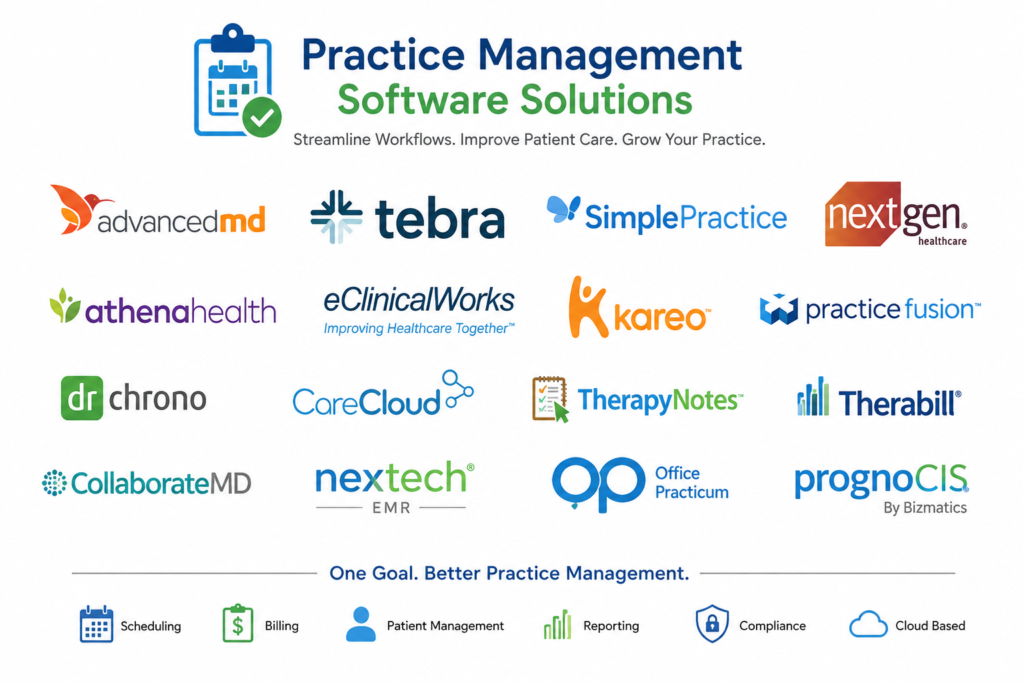
Selecting the right Practice Management Software (PMS) is one of the most important decisions for any healthcare practice. The right system can streamline operations, improve patient satisfaction, increase revenue, and simplify medical billing. However, with dozens of software options available, many providers struggle to determine which solution best fits their practice.
At Nexa Digital Pro, we help healthcare organizations evaluate, implement, and optimize practice management software while ensuring seamless medical billing, provider credentialing, and revenue cycle management.
In this guide, we’ll explore the benefits and limitations of practice management software and explain how Nexa Digital Pro can help your practice make the right choice.
Practice Management Software (PMS) is a healthcare technology solution designed to manage the administrative and operational aspects of a medical practice.
Key functions include:
Popular practice management systems include AdvancedMD, Athenahealth, eClinicalWorks, Kareo (Tebra), DrChrono, NextGen Healthcare, and CareCloud.
Practice management software automates repetitive administrative tasks, reducing manual work and improving staff productivity.
Benefits include:
This allows healthcare providers to spend more time focusing on patient care.
An effective PMS can significantly improve your revenue cycle by helping manage:
This results in:
Modern healthcare consumers expect convenience.
Practice management software often includes:
These features improve patient satisfaction and engagement.
Healthcare practices gain valuable insights through detailed reporting.
Track:
These insights support better business decisions.
As your practice grows, your software should grow with you.
Many leading platforms support:
Many healthcare organizations underestimate:
These investments can be significant for smaller practices.
New systems require training and adjustment.
Common challenges include:
Proper implementation planning is essential.
A solution that works well for primary care may not meet the needs of:
Choosing specialty-specific software is critical.
Some systems may not integrate smoothly with:
Poor integration can create operational inefficiencies.
Healthcare technology requires continuous updates to remain compliant with:
This requires ongoing vendor support and monitoring.
Pros:
Cons:
Pros:
Cons:
Pros:
Cons:
Pros:
Cons:
Pros:
Cons:
Many healthcare providers choose software based solely on sales presentations.
At Nexa Digital Pro, we take a different approach.
Our experts evaluate:
We assess:
We identify solutions designed specifically for your specialty.
We ensure your software supports:
We evaluate compatibility with:
Our team helps practices avoid unnecessary expenses while maximizing return on investment.
Nexa Digital Pro provides:
✅ Medical Billing Services
✅ Revenue Cycle Management
✅ Provider Credentialing
✅ Practice Management Software Consulting
✅ Healthcare Website Development
✅ Social Media Marketing
Our goal is to help providers build efficient, profitable, and scalable healthcare organizations.
Practice Management Software can transform the way healthcare practices operate, but choosing the wrong solution can lead to frustration, inefficiencies, and lost revenue. Understanding the benefits and limitations of each platform is essential before making an investment.
At Nexa Digital Pro, we help healthcare providers identify the best software for their unique needs while optimizing billing, credentialing, and revenue cycle performance.
Contact Nexa Digital Pro today for a free consultation and discover how we can help your practice improve efficiency, increase revenue, and achieve sustainable growth.
Practice Management Software (PMS) is a healthcare solution that helps medical practices manage scheduling, patient registration, insurance verification, billing, reporting, and other administrative tasks. It improves operational efficiency and supports better patient care.
Popular options for small practices include Kareo (Tebra), DrChrono, RXNT, and AdvancedMD. The best choice depends on your specialty, budget, billing needs, and growth plans.
Practice Management Software streamlines claim submission, insurance verification, payment posting, and accounts receivable tracking. This helps reduce claim denials, accelerate reimbursements, and improve cash flow.
Practice Management Software focuses on administrative and financial operations, while Electronic Health Records (EHR) manage clinical data, patient records, treatment plans, and medical documentation. Many modern platforms integrate both functions.
Costs vary depending on the vendor, features, number of providers, and implementation requirements. Pricing can range from a few hundred dollars per month for small practices to enterprise-level solutions costing significantly more.
Yes. Nexa Digital Pro evaluates your practice size, specialty, billing requirements, workflow needs, and budget to recommend the most suitable Practice Management Software solution.
Absolutely. Our team has experience working with major platforms including AdvancedMD, Athenahealth, eClinicalWorks, Kareo (Tebra), DrChrono, NextGen Healthcare, CareCloud, and many others.
Yes. When properly configured and managed, Practice Management Software helps improve claim accuracy, insurance verification, and billing workflows, leading to fewer denials and faster reimbursements.
Even with advanced software, successful revenue cycle management requires expertise. Nexa Digital Pro combines technology, billing specialists, credentialing experts, and AR management to maximize collections and improve practice profitability.
Nexa Digital Pro offers:
Implementation timelines vary based on practice size and complexity. Most implementations take between 2 and 12 weeks, including data migration, staff training, testing, and workflow optimization.
Contact our team for a free consultation. We’ll assess your current workflows, billing performance, and software needs to recommend the best solution for your practice.